Investigation of the relationship between theoretical and practical applications of systems and technology and their impact on the social and physical environments.
recommended reading:
I suggest that you purchase:

Manuscript: Essentials for the Everyday Use of Interior Architects and Designers by Axel Müller-Schöll link to amazon [NZ$50 w/ shipping] link to Massey library
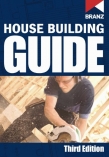
Online from BRANZ $66.95 – great resource for understanding basic building to comply with NZS3604
GENERAL
BRIEF: p1_partA (NZS3604 / working drawings) | p1_partB (building code / report)
see Studio 4 page for State House plan etc.
see tutorials under Vectorworks and Revit tutorials
week 1: Intro
Deliverables: State House CAD model, existing drawing set (foundation, floor & roof plans, elevations)
VECTORWORKS & DRAWING SET HELP
link to SETTING UP A DRAWING SET ON VECTORWORKS
link to WORKING DRAWING SETS – BASICS
Creating a Custom Title Block:
Go to Vectorworks Help menu in Safari. Search: Creating a custom Title Block. Follow instructions for Vectorworks Fundamentals.
Watch video on blog: Tutorials: +Vectorworks: 5.Creating a Title Block
NOTE: once your title block has all formats recorded, and is a symbol in your resource browser, do the following: Select the drawing border tool in your tool palette. Go to the preferences for that tool.
Untick ‘Lock to page centre’, and Tick ‘Use as title block only’.
Now choose your Title Block: (it should come up under a folder called drawing border components or similar).
Ensure all this is done in the file which you will work from for your drawing set. The title block will be current only to this file.
General Vectorworks probs?:
Try www.nemetschek.net/ and log questions onto the Community Board. You should get answers back quickly.
working drawings resources:
BIM_videos:
www.youtube.com/watch?v=P6cwMfVAzkw&feature=related
week 2: NZS3604
Deliverables: existing drawing set (+ section)
NZS3604 – BASIC TIMBER FRAMING HELP
link to NZS 3604 file
link to basic timber framing slideshow
link to TIMBER FRAMING TO NZS3604 – basic tips
link to 3604 notes
see Stream for NZS3604 quiz, please complete this by the end of the week
week 5 & 6: Building Code
Deliverables: proposed drawing set (50% check set) & building code report draft
Building Code resources:
link to the Building Code Compliance Documents
Building Code Intro_pres – overview of the legislation and consents processes – the last section on building consent and code compliance is particularly relevant in relation to your building code report (ignore the bit about having to do a district plan check etc, this is not required, although you may find it useful/interesting).
Building Code Check_pres – a helpful outline of what is expected for your building code report
*Please familiarise yourselves with the above prior to class on Wednesday, and take note of any particular areas you would like help with.*
– 2012 –
Project 1_Part A: Building code : Diving in
link to the Building Code Compliance Documents
wk 2_What is a Site Plan?_pres
building code resources:
The New Zealand Building Code_overview.pdf
The New Zealand Building Code_handbook.pdf
Project 1_Part B: NZS3604 & Working Drawings
see stream for NZS 3604 quiz
Timber framed structure resources:
I recommend you buy:
Online from BRANZ $66.95 – great resource for understanding basic building to comply with NZS3604
REPORT WRITING RESOURCES
link to U of Canberra report writing guide
link to Massey OWLL online writing and learning link
NZS3604 – BASIC TIMBER FRAMING HELP
link to basic timber framing slideshow
link to TIMBER FRAMING TO NZS3604 – basic tips
VECTORWORKS & DRAWING SET HELP
link to SETTING UP A DRAWING SET ON VECTORWORKS
link to WORKING DRAWING SETS – BASICS
Creating a Custom Title Block:
Go to Vectorworks Help menu in Safari. Search: Creating a custom Title Block. Follow instructions for Vectorworks Fundamentals.
Watch video on blog: Tutorials: +Vectorworks: 5.Creating a Title Block
NOTE: once your title block has all formats recorded, and is a symbol in your resource browser, do the following: Select the drawing border tool in your tool palette. Go to the preferences for that tool.
Untick ‘Lock to page centre’, and Tick ‘Use as title block only’.
Now choose your Title Block: (it should come up under a folder called drawing border components or similar).
Ensure all this is done in the file which you will work from for your drawing set. The title block will be current only to this file.
General Vectorworks probs?:
Try www.nemetschek.net/ and log questions onto the Community Board. You should get answers back quickly.
working drawings resources:
BIM_videos:
Project 3: Building Systems
building systems resources:
MasterSpec_Guide to writing specifications
GSNZ_Education_Documentation_Guidelines.pdf
specification document examples:
green building examples:
Melbourne CH2 building / CH2_HowItWorks.pdf
other resources:
Passive Solar Architecture.pdf
recommended reading:
I suggest that you purchase:
Manuscript: Essentials for the Everyday Use of Interior Architects and Designers by Axel Müller-Schöll link to amazon [NZ$50 w/ shipping] link to Massey library
Last modified: March 1, 2018